
„Sind Wärmebildkameras für Smartphones zuverlässig genug für die regelmäßige Fehlersuche im Haushalt, oder lohnen sich tragbare Wärmebildkameras trotz der zusätzlichen Investition?“ Diese Frage taucht bei Anfängern, die ihre erste Wärmebildkamera erkunden, ständig auf, sei es zur Überprüfung von Schalttafeln und Steckdosen, zum Auffinden von Isolationslücken an Fenstern und Türen, zur Behebung von HVAC-Problemen oder zum Aufspüren versteckter Feuchtigkeit hinter Wänden.
Die schnelle Antwort: Es hängt davon ab, wie oft und wie ernsthaft die Kamera verwendet wird.
Für gelegentliche Überprüfungen ist eine kompakte Wärmebildkamera fürs Handy leicht, taschenfreundlich und gut genug, um einen offensichtlichen Hotspot zu erkennen. Doch für jeden, der regelmäßig elektrische Arbeiten durchführt, zeigen sich die Kompromisse: kleinere Sensoren, langsamere Reaktionszeiten und eine Konnektivität, die bei wiederholtem Gebrauch nicht immer zuverlässig ist.
Wo genau liegt also die Grenze zwischen „gut genug“ und „Aufrüstung lohnt sich“? Im Folgenden gliedern wir das Thema in drei Teile, um Ihnen zu helfen, das Produkt zu finden, das am besten zu Ihren Bedürfnissen passt.
Smartphone- vs. Handheld-Wärmebildkameras: Hauptunterschiede
Wärmebildkameras gibt es in verschiedenen Formfaktoren – zum Anschluss an das Telefon, als eigenständiges Handgerät und als kompakte Taschengeräte –, die jeweils für unterschiedliche Anforderungen geeignet sind. Hier ein kurzer Überblick über den Vergleich, bevor wir uns den spezifischen Modellen widmen.
Smartphone-Wärmebildkamera

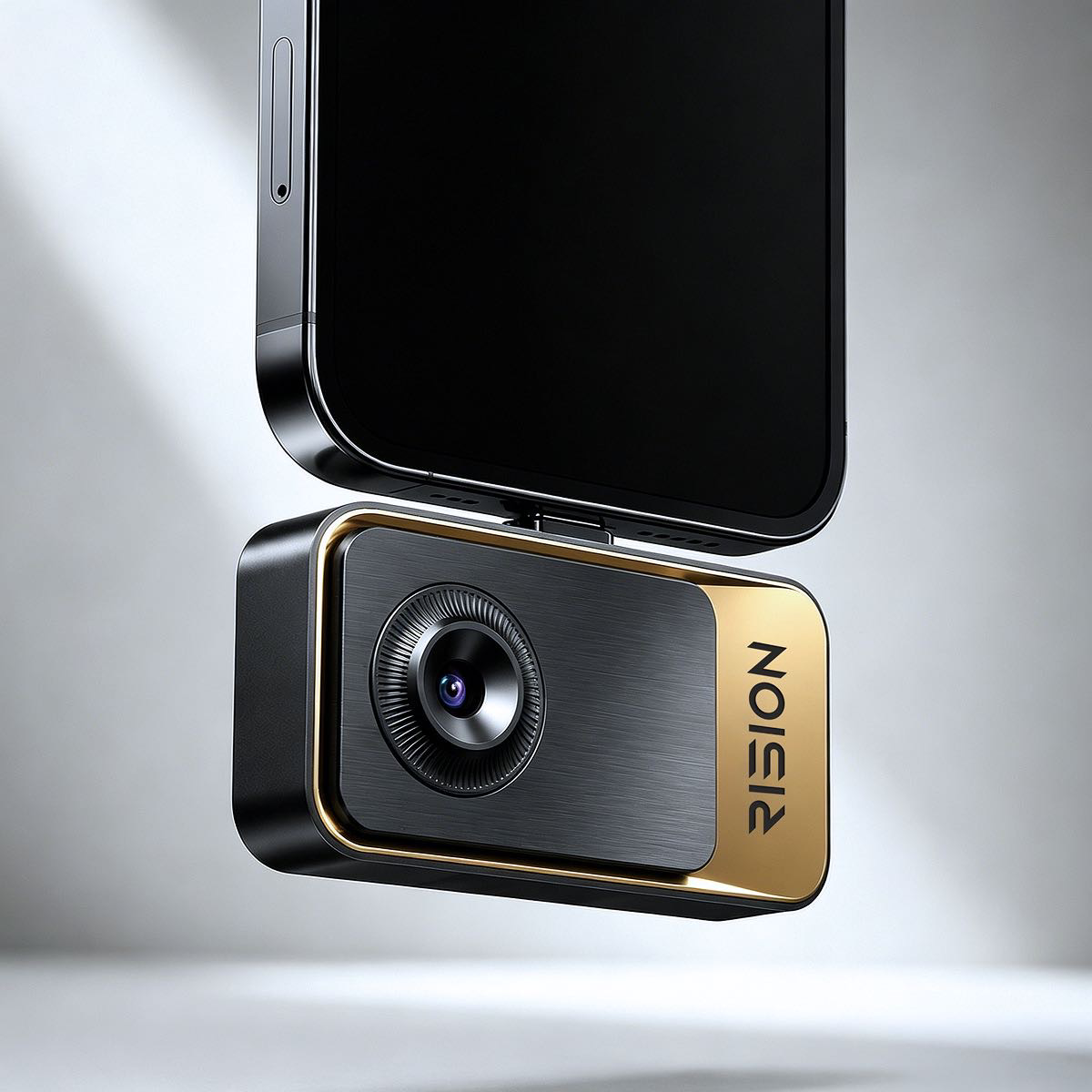
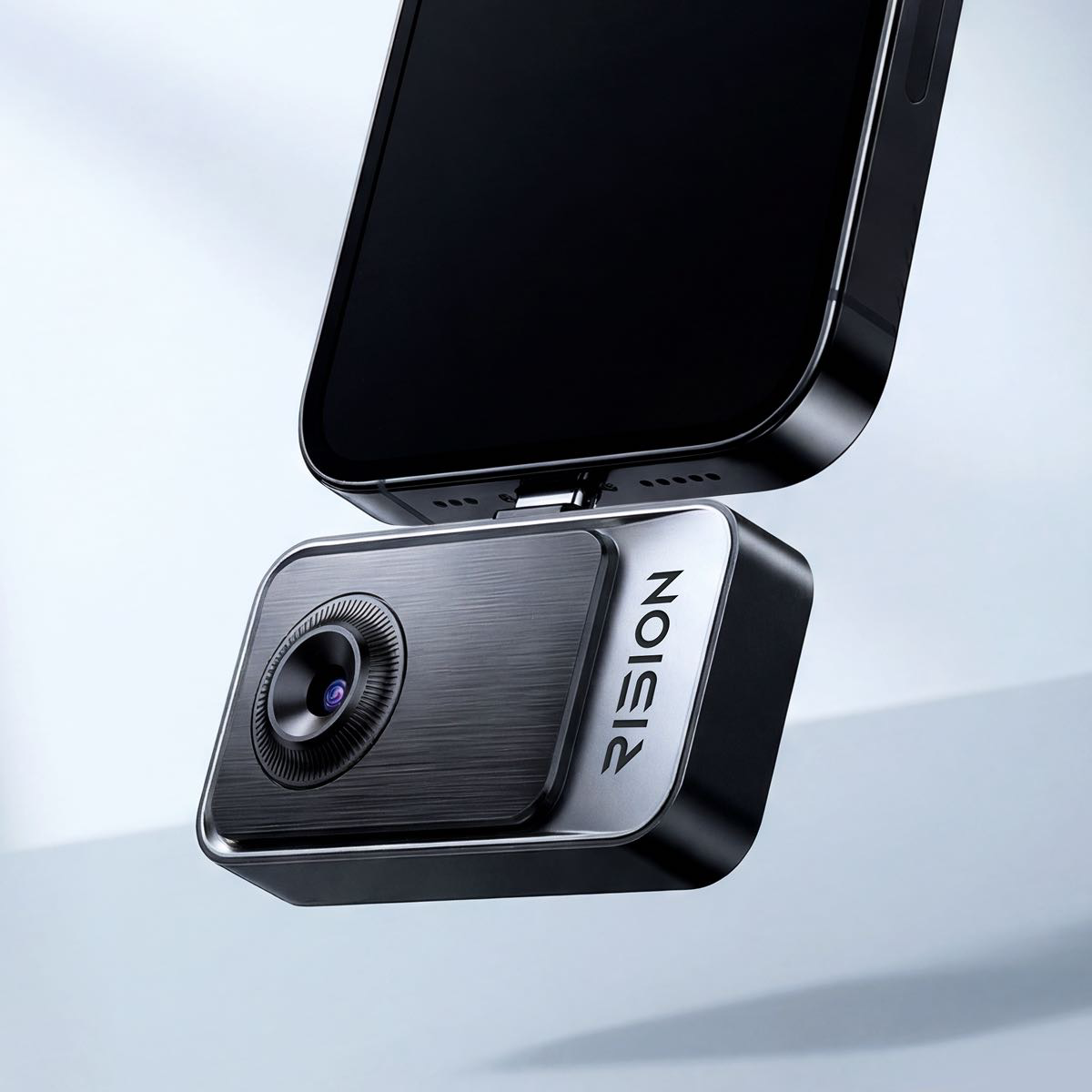
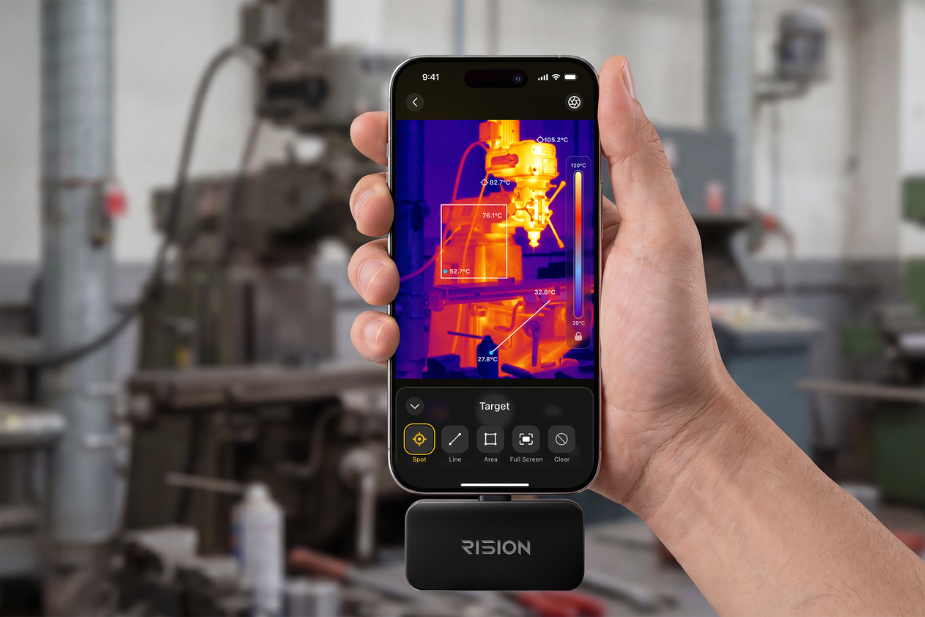
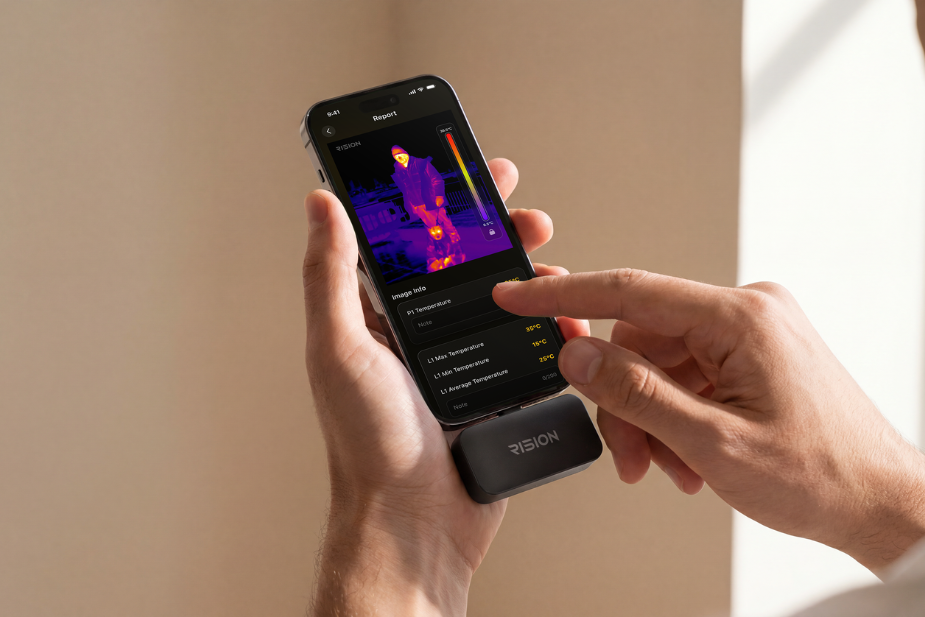
Die Rision Magic, InfiRay P2 Pro, FLIR ONE – so stellen sich die meisten Menschen eine „Smartphone-Wärmebildkamera“ vor: kleine Module, die an den Ladeanschluss angeschlossen oder über Bluetooth gekoppelt werden und den Bildschirm und Speicher des Telefons nutzen.
Handheld-Wärmebildkamera

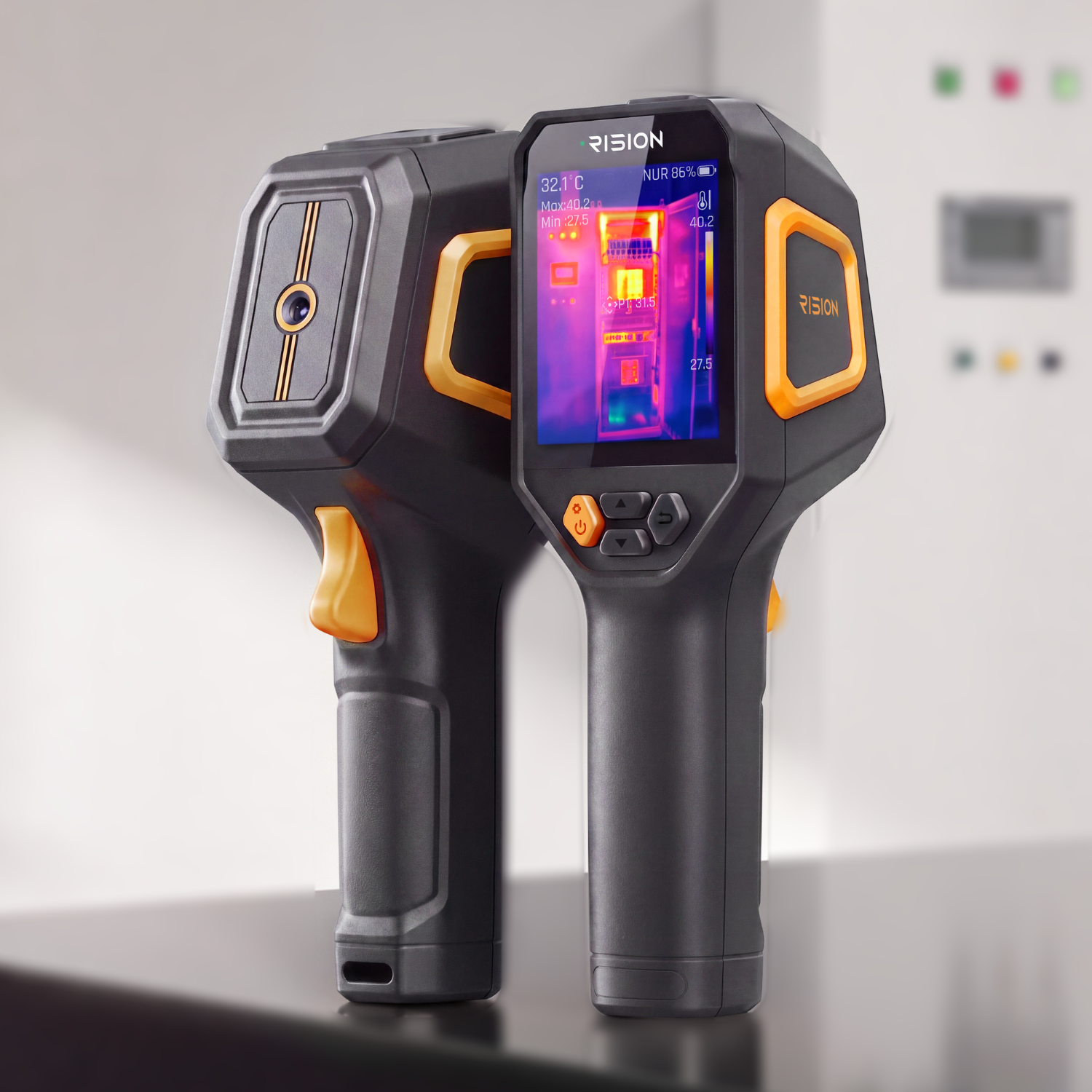
Die FLIR ONE Edge Pro, Hikmicro Pocket – sehen eher wie kleine Camcorder aus, mit eigenem integriertem Display, Akku und oft einem Auslöseknopf für die einhändige Aufnahme.
| Smartphone-Wärmebildkamera | Handheld-Wärmebildkamera | |
| Preis | 100–500 $ | 150–1.500 $+ |
| Display | Nutzt den Bildschirm des Telefons | Integriertes Spezialdisplay |
| Akku | Einige Modelle beziehen Strom vom Telefonakku; andere nutzen eigene Akkus | Verfügt über einen eigenen Akku |
| Portabilität | Sehr kompakt, passt in eine Schublade oder das Handschuhfach | Sperriger, separates Gerät zum Tragen und Laden |
| Konnektivität | Direkter Anschluss oder Kurzstrecken-Bluetooth | Einige Modelle funktionieren kabellos bis zu ~30 m Entfernung |
| Software-Updates | Nutzt die regelmäßigen OS-Updates des Telefons | Hängt vom Firmware-Support des Herstellers ab |
| Bildspeicherung | Speichert direkt in der Fotogalerie des Telefons über die App | Speichert auf internem Speicher oder SD-Karte, dann Übertragung über USB, Wi-Fi oder Begleit-App |
| Am besten geeignet für | Gelegentliche Nutzung, Hauskontrollen, Heimwerken, preisbewusste Käufer | Regelmäßiger/professioneller Einsatz, Baustellen im Freien, raue Bedingungen |
Welche sollten Sie tatsächlich kaufen?
Der Kompromiss ist einfach: Preis und Einfachheit. Handheld-Wärmebildkameras kosten in der Regel zwei- bis viermal mehr als eine Smartphone-Wärmebildkamera – die zusätzlichen Kosten entfallen auf Bildschirm, Akku und Gehäuse, nicht unbedingt auf eine bessere Wärmebildleistung. Beim Vergleich von Spezifikationen wie Auflösung, Bildwiederholfrequenz und NETD sehen ein 250-Dollar-Aufsatz und ein 800-Dollar-Handgerät manchmal überraschend ähnlich aus.
| RISION Magic | Ein Handheld-Modell für 150–200 $ | |
| Preis | $139 | $159 |
| Native Auflösung | 160×120 | 128×128 |
| Super-Auflösung | 320×240 | 240×240 |
| Pixelabstand | 12 μm | nicht veröffentlicht |
| NETD | ≤40mK | <40mK |
| Bildrate | 25 Hz | 25 Hz |
| Messbereich | -20 °C ~ 600 °C | -20 °C ~ 450 °C |
| Temperaturgenauigkeit | ±2°C | ±2°C |
| Betriebstemperatur | -10~55°C | -10 °C ~ 50 °C |
| Kompatibilität | Android / iOS / Windows | Läuft mit eigenem Linux-Betriebssystem, kein Telefon erforderlich |
| Anschluss | USB-C | USB-A zu USB-C (nur zum Laden/für Daten, kein Anschluss an ein Telefon) |
| Dual-Light | AI BiSpectrix™ | Keine Dual-Light-Funktion |
| Infrarotkern | QuadIR™, AI BiSpectrix™ | Chip-Modell nicht veröffentlicht |
| Größe (LxBxH) | 60×42×10 mm | 260×180×80 mm |
| Gerätegewicht | 24 g | 350 g |
| Akku | — | 2.900 mAh, bis zu 15 Std. Laufzeit, 4 Std. Ladezeit |
| Stromverbrauch | 0,32 W | Nicht veröffentlicht |
Wählen Sie eine Smartphone-Wärmebildkamera, wenn:
- Sie Zugluft an Fenstern und Türen oder eine verdächtig warme Steckdose überprüfen möchten.
- Sie gelegentlich DIY-Energieaudits, Isolationsprüfungen oder Hausinspektionen vor dem Kauf durchführen.
- Sie ein Wasserleck hinter Trockenbauwänden oder unter einem Waschbecken finden möchten, bevor Sie einen Klempner rufen.
- Sie die Kamera hauptsächlich in Innenräumen verwenden, wo Blendung und Witterungsschutz keine Rolle spielen.
- Sie einen kostengünstigen Einstieg (einige hundert Dollar) suchen, um zu testen, ob Wärmebildgebung überhaupt nützlich ist, bevor Sie mehr investieren.
Wählen Sie eine Handheld-Wärmebildkamera, wenn:
- Sie die Kamera wöchentlich oder täglich als Elektriker, Heizungs-/Klima-Techniker oder Hausinspektor verwenden.
- Sie elektrische Schalttafeln, Sicherungskästen oder Verdrahtungsfehler zur Dokumentation der Einhaltung diagnostizieren.
- Sie Dach-, Dachboden- oder Kriechkellerinspektionen im Freien bei direkter Sonneneinstrahlung durchführen.
- Sie Kfz-Diagnosen, Geräteprüfungen in der Industrie oder Arbeiten unter staubigen, nassen oder rauen Bedingungen durchführen.
- Sie die Kamera auf Baustellen verwenden, wo ein leerer Akku oder ein vergessener Lader zu Einnahmeverlusten führt.
Für Einsteiger in die Wärmebildgebung ist eine Smartphone-Wärmebildkamera in der Regel der praktischere Einstieg – sie deckt eine Vielzahl gängiger Anwendungsfälle für ein paar hundert Dollar ab, ohne dass man sich sofort für eine größere Anschaffung entscheiden muss. Eine Handheld-Wärmebildkamera lohnt sich vor allem bei häufigem Außeneinsatz, wöchentlicher Nutzung oder in staubigen und rauen Umgebungen. Es ist immer eine Option, mit einem Aufsatz zu beginnen und später, wenn die Bedürfnisse wachsen, auf ein eigenständiges Gerät umzusteigen.
Smartphone-Wärmebildkamera: Schlüsselparameter
Sie denken über eine Smartphone-Wärmebildkamera nach? Die wichtigsten Spezifikationen lassen sich auf einige Kernfaktoren reduzieren – darauf sollten Sie sich konzentrieren.
1. Auflösung: Die Grundlage der Bildschärfe

Die thermische Auflösung bestimmt, wie viele Details im Bild sichtbar sind. Einsteiger-Smartphone-Wärmebildkameras bieten typischerweise 160x120 oder 206x156, während High-End-Modelle 256x192 oder mehr erreichen. Für grundlegende Aufgaben wie das Erkennen von elektrischen Hotspots oder die Überprüfung der Isolierung reichen 160x120 mit Super-Resolution-Verarbeitung oft aus. Für Präzisionsarbeiten wie die Elektronikreparatur ist eine höhere Auflösung in Betracht zu ziehen.
2. Thermische Empfindlichkeit (NETD)

Gemessen in Millikelvin (mK) bestimmt die thermische Empfindlichkeit, wie gut die Kamera subtile Temperaturunterschiede erkennt. Ein niedrigerer NETD-Wert (z. B. <40mK) bedeutet, dass die Kamera kleinere Temperaturunterschiede erkennen kann – entscheidend für die frühzeitige Problemfeststellung wie langsame Feuchtigkeitslecks oder geringen elektrischen Widerstand.
3. Kompatibilität: USB-C, Lightning oder beides?

Prüfen Sie, ob die Wärmebildkamera über USB-C (Android und neuere iPhones) angeschlossen wird oder einen separaten Lightning-Adapter benötigt. Einige Modelle bieten duale Kompatibilität, sodass Sie zwischen Geräten wechseln können, ohne mehrere Zubehörteile kaufen zu müssen.
Kompatibilitätsprobleme beschränken sich jedoch nicht auf den Port. Einige Wärmebildkameras funktionieren nur mit einer bestimmten Begleit-App, und diese App unterstützt möglicherweise nicht jede OS-Version – eine Kamera, die mit dem iOS- oder Android-Update des letzten Jahres einwandfrei funktionierte, funktioniert nach dem nächsten Update nicht unbedingt. Vor dem Kauf sollten Sie prüfen, ob die App aktiv gepflegt wird und bestätigen, dass sie Ihr genaues Telefonmodell und Ihre OS-Version unterstützt, nicht nur die Plattform im Allgemeinen.
4. App-Funktionen sind wichtiger, als Sie denken

Eine leistungsfähige Begleit-App kann den Unterschied zwischen einem Gimmick und einem wirklich nützlichen Werkzeug ausmachen. Achten Sie auf:
- Mehrere Farbpaletten für verschiedene Anwendungsfälle
- Punkt-, Linien- und Flächen-Temperaturmessung – suchen Sie nach Modellen, die mehrere gleichzeitige Messmodi unterstützen. Die Rision Magic bietet beispielsweise bis zu 5 Punkt-, Linien- und Flächenmessungen gleichzeitig, was den Vergleich von Temperaturen an verschiedenen Punkten in einem einzigen Scan erleichtert.

Code verwenden: RISION10
- PDF-Berichterstellung (nützlich für Inspektoren und Bauunternehmer)
- Cloud-Synchronisierung für den Zugriff auf Daten über Geräte hinweg
Es lohnt sich auch zu prüfen, wo Wärmebilder und -videos tatsächlich gespeichert werden. Einige Apps speichern Daten nur lokal auf dem Gerät, während andere automatisch in die Cloud hochladen. Wenn Cloud-Speicher involviert ist, lohnt es sich zu untersuchen, wo sich die Server befinden, ob die Daten verschlüsselt sind und wie die Datenschutzrichtlinie des Unternehmens mit Inspektionsfotos umgeht – insbesondere bei der Dokumentation des Hauses eines Kunden oder eines Arbeitsplatzes mit sensiblen Geräten.
5. Portabilität und Leistung
Batterielose Plug-in-Designs sind leichter und bequemer für den täglichen Gebrauch, aber sie verbrauchen den Akku Ihres Telefons. Eigenständige batteriebetriebene Modelle bieten eine längere unabhängige Nutzung, sind aber sperriger.
Wie Sie die richtige Wahl für Ihren Anwendungsfall treffen
Der größte Kauffehler: Eine Kamera nur nach Preis oder Marke auszuwählen und dann festzustellen, dass sie die Aufgabe nicht erfüllen kann. Welche Spezifikationen wichtig sind – Auflösung, Empfindlichkeit, Temperaturbereich, Bildwiederholfrequenz – hängt davon ab, was gescannt wird.
Hausinspektion & Energieaudits

Das Scannen von Wänden, Fenstern, Decken und Lüftungskanälen auf allmähliche Temperaturunterschiede, nicht auf winzige Hotspots – hier glänzt eine Smartphone-Wärmebildkamera.
- Die Auflösung spielt hier eine geringere Rolle – ein Mid-Range-Sensor (~160×120–256×192) reicht aus, um einen Luftzug oder fehlende Isolierung zu erkennen, was den meisten Smartphone-Aufsätzen entspricht.
- Ein integrierter Laserpointer/Fadenkreuz hilft dabei, Stellen für eine raumweise Reparaturliste zu markieren und zu verfolgen.
- Scannen Sie, wenn ein echter Temperaturunterschied zwischen Innen und Außen besteht (z. B. frühe Wintermorgen) – Kontrast macht Probleme sichtbar.
Reparatur von Elektrik & Elektronik (Leiterplatten, Löten)
Auf der Suche nach kleinen, subtilen Temperaturspitzen, nicht nach breiten Mustern. Eine Smartphone-Wärmebildkamera kann die meisten elektrischen Probleme im Haushalt – Steckdosen, Sicherungen, offensichtliche lose Verbindungen – dennoch erkennen.
- Die thermische Empfindlichkeit (mK, niedriger = besser) ist wichtiger als die Auflösung – eine lose Verbindung kann nur wenige Grad heiß werden. Die meisten Mid-Range-Smartphone-Kameras (≤40mK) bewältigen dies gut.
- Für Nahaufnahmen von Leiterplatten oder Lötstellen ist ein abnehmbares Makroobjektiv unerlässlich – prüfen Sie, ob der Aufsatz eines unterstützt, bevor Sie davon ausgehen, dass er die Aufgabe nicht erfüllen kann.
- Prüfen Sie die obere Temperaturgrenze: Einige Einsteigermodelle reichen nur bis ca. 120 °C, aber Lot schmilzt bei 350–400 °C. Wenn so hohe Temperaturen für die Arbeit wichtig sind, stellen Sie sicher, dass der Bereich dies abdeckt.
Automobil- & HVAC-Diagnose
Ein Mittelweg: benötigt sowohl einen weiten Temperaturbereich als auch eine feine Empfindlichkeit. Die meisten Smartphone-Modelle decken immer noch typische HVAC- und leichte Automobilprüfungen ab.
- Automobil: Für Motor-, Abgas- oder Bremskomponenten, die besonders heiß werden, sollten Sie eine Kamera mit einer höheren Maximaltemperatur (400°C/752°F+) bevorzugen – einige Smartphone-Aufsätze erreichen diesen Bereich bereits.
- HVAC: Ein größeres Sichtfeld hilft beim Scannen langer Lüftungsleitungen in engen Räumen wie Dachböden oder Kriechkellern.
Outdoor-, Sicherheits- und Wildtierbeobachtung
Einen sich bewegenden Wärmequell auf einem kühleren Hintergrund, oft aus der Ferne, erkennen – keine präzisen Temperaturen messen. Dies ist einer der wenigen Bereiche, in denen die Lücke zwischen Smartphone- und Handheld-Geräten am wenigsten schrumpft.
- Die Bildwiederholfrequenz ist hier am wichtigsten: Ziel sind mindestens 25 Hz – die meisten aktuellen Smartphone-Wärmebildkameras erfüllen dies bereits.
- Ein breiteres Sichtfeld hilft beim Scannen offener Bereiche.
- Auflösung und Empfindlichkeit sind weniger wichtig – präzise Messwerte sind nicht das Ziel, sondern nur eine klare Erkennung, was eine Smartphone-Kamera gut bewältigt.
FAQ: Smartphone-Wärmebildkamera
Q1: Sind Smartphone-Wärmebildkameras genau genug für echte Inspektionsarbeiten? Für gelegentliche Überprüfungen (Auffinden einer warmen Steckdose, Isolationsprüfung, schnelle Diagnose) sind Smartphone-Wärmebildkameras genau genug, um die Aufgabe zu erledigen. Aber für detaillierte, wiederholte oder professionelle Arbeiten, wie die Dokumentation von elektrischen Fehlern zu Compliance-Zwecken, lohnt sich die Anschaffung einer Handheld-Wärmebildkamera: Eine bessere Sensorstabilität und ein geringerer Messfehler machen den Unterschied, wenn es wirklich auf Genauigkeit ankommt.
Q2: Worauf sollte ich bei der Auswahl einer telefonbasierten Wärmebildkamera achten?
Die Zuverlässigkeit der App ist ein wichtiger Faktor. Häufige Beschwerden sind langsame oder instabile Geräteverbindungen, Apps, die nach einem Telefon-OS-Update nicht mehr funktionieren, und eingeschränkte Funktionen im Vergleich zu eigenständigen Geräten. Da die Hardware vollständig von der Begleit-App abhängt, kann eine nicht gewartete App ein ansonsten einwandfreies Gerät unbrauchbar machen.
Q3: Telefonbasiert oder Handheld – was soll ich wählen? Das hängt von der Häufigkeit und dem Anwendungsfall ab:
- Gelegentlicher/Hobby-Gebrauch (DIY-Heimkontrollen, gelegentliche Fehlerbehebung): Eine telefonbasierte Wärmebildkamera ist ein praktischer, erschwinglicher Einstieg.
- Häufiger/professioneller Gebrauch (Elektriker, HVAC-Techniker, Außendienst): Ein Handheld-Gerät bietet in der Regel eine bessere Sensorgröße, eine schnellere Bildwiederholfrequenz, stabilere Messwerte und eine bessere Ergonomie für den längeren Gebrauch.
Q4: Ist die Auflösung wichtiger als andere Spezifikationen? Nicht unbedingt. Die Auflösung beeinflusst die Bilddetails, aber reale Bewertungen zeigen, dass die thermische Empfindlichkeit (NETD) und die Stabilität der Temperaturmessung für das Erkennen subtiler Probleme wie früher elektrischer Widerstand oder langsame Feuchtigkeitslecks ebenso – manchmal sogar wichtiger – sind.
Q5: Wo werden meine Wärmebilder und Videodaten gespeichert? Dies variiert je nach App – einige speichern Daten lokal auf Ihrem Telefon, andere synchronisieren automatisch mit der Cloud. Wenn Sie das Eigentum oder den Arbeitsplatz eines Kunden dokumentieren, überprüfen Sie die Datenspeicherungs- und Datenschutzrichtlinien der App vor der Verwendung, insbesondere wenn Cloud-Synchronisierung involviert ist.
Q6: Kann eine Smartphone-Wärmebildkamera ein professionelles Handheld-Gerät ersetzen? Für die meisten Alltagsnutzer ja – sie deckt gängige Bedürfnisse ab, wie das Erkennen von Wärmeverlust, elektrischen Hotspots oder HVAC-Problemen. Aber für Arbeiten, die Präzision, Dokumentation oder lange Inspektionssitzungen erfordern, bleibt eine spezielle Handheld-Wärmebildkamera in der Regel die zuverlässigere Wahl.

Hinterlasse einen Kommentar
Diese Website ist durch hCaptcha geschützt und es gelten die allgemeinen Geschäftsbedingungen und Datenschutzbestimmungen von hCaptcha.