
Die Auswahl einer Wärmebildkamera kann angesichts der Fülle an technischen Datenblättern – Auflösung, NETD, Bildrate, Temperaturbereich – überwältigend sein. Doch ein Verständnis jedes technischen Details ist nicht nötig, um eine kluge Kaufentscheidung zu treffen. Dieser Leitfaden schlüsselt die tatsächlich relevanten Spezifikationen auf und ordnet sie nach ihrer Bedeutung für spezifische Anwendungsfälle, sodass die richtigen Prioritäten basierend auf Budget und Anforderungen gesetzt werden können.
Die 4 Kernspezifikationen

Diese vier Spezifikationen bilden die Grundlage dafür, was eine Wärmebildkamera tatsächlich erkennen kann und wie klar. Wenn Sie direkt zu den wichtigen Punkten springen und den Rest des Datenblatts überspringen möchten, sind dies die vier zu vergleichenden Zahlen.
1. IR-Auflösung (Detektorpixel): Wie viele Details Sie sehen können

Die Auflösung bestimmt, wie klar und detailliert ein Wärmebild aussieht. Sie wird in Pixeldimensionen (z. B. 160×120, 320×240, 640×512) ausgedrückt – je höher die Zahlen, desto schärfer das Bild. Dies liegt daran, dass jedes Pixel in einem Wärmesensor die Temperatur eines bestimmten Punktes in der Szene erfasst; mehr Pixel bedeuten, dass die Szene in kleinere, präzisere Punkte unterteilt wird, sodass kleine Objekte und feine Kanten weniger wahrscheinlich mit ihrer Umgebung verschwimmen.
| Auflösung | Was Sie sehen können |
| 80×60 | Allgemeine heiße Bereiche |
| 160×120 | Grundlegende Diagnosen |
| 256×192 | Einzelne Komponenten |
| 320×240+ | Feine Details |
Unter 160×120: Gut geeignet, um offensichtliche Wärmelecks oder Hotspots zu erkennen, aber Details verschwimmen auf Distanz. Üblich bei Einsteiger-Smartphone-Aufsätzen.
320×240: Der „Sweet Spot“ für die meisten Heimwerker- und professionellen Anwendungen – ausreichend Details, um einzelne Objekte wie Rohre, Ständer oder Verkabelungen zu unterscheiden.
640×480 und höher: Erforderlich für Präzisionsarbeiten wie elektrische Diagnosen oder Langstreckenerkennung, bei denen kleine Temperaturunterschiede klar lokalisiert werden müssen.
Hausinspektionen benötigen mindestens 160×120; für professionelle Diagnosen sollte man 320×240 oder höher wählen.
Welche Anwendungen benötigen eine höhere Auflösung?
- Hausinspektion → Mittlere Priorität. Die meisten Ziele – Wände, Fenster, Decken – sind große Oberflächen, daher reicht eine moderate Auflösung (160×120 bis 320×240) in der Regel aus, um ein Wärmeleck oder eine Isolationslücke zu erkennen, ohne feine Details auflösen zu müssen.
- Heizung, Lüftung, Klima (HLK) → Mittlere Priorität. Lüftungskanäle, -auslässe und -geräte sind mittelgroße Komponenten; Sie benötigen eine ausreichende Auflösung, um ein Teil vom anderen zu unterscheiden, aber nicht genug, um winzige interne Strukturen aufzulösen.
- Elektrische Inspektion → Hohe Priorität. Steckverbinder, Klemmen und Schutzschalter sind klein und eng beieinander. Eine höhere Auflösung (320×240 und höher) hilft sicherzustellen, dass ein Hotspot korrekt einer bestimmten Komponente zugeordnet wird, anstatt mit den Nachbarn zu verschmelzen.
- Leiterplattenreparatur → Sehr hohe Priorität. Komponenten auf einer Leiterplatte können nur Millimeter voneinander entfernt sein. Bei niedrigerer Auflösung verschwimmen einzelne Leiterbahnen, Lötstellen oder Chips leicht, sodass es unmöglich ist zu erkennen, welche genaue Komponente überhitzt – nur die höchsten Auflösungen können Fehler in diesem Maßstab zuverlässig isolieren.
2. Thermische Empfindlichkeit (NETD): Wie kleine Temperaturunterschiede erkannt werden können

Die thermische Empfindlichkeit, gemessen als NETD (Noise Equivalent Temperature Difference) in MilliKelvin (mK), gibt an, wie kleine Temperaturunterschiede die Kamera unterscheiden kann. Niedrigere mK-Werte bedeuten eine bessere Empfindlichkeit.
- 100-150mK: Ausreichend, um deutliche Wärmeverluste oder offensichtliche Hotspots im Haus zu erkennen.
- 50-70mK: Gut für allgemeine Inspektionsarbeiten, um subtilere Temperaturschwankungen zu erfassen.
- Unter 40mK: Erforderlich für die Erkennung schwacher Anomalien, wie z. B. frühe elektrische Fehler oder geringfügige Isolationslücken.
Wenn Sie subtile Probleme aufspüren möchten – wie ein langsames Leck oder ein Kabel, das gerade anfängt zu überhitzen – priorisieren Sie die Empfindlichkeit über die Auflösung.
Empfohlene NETD für verschiedene Anwendungen
| Anwendung | Priorität |
| Wasserlecks | ★★★★★ |
| Gebäudeinspektion | ★★★★★ |
| Elektrische Inspektion | ★★★★ |
| HVAC | ★★★★ |
3. Temperaturbereich und Genauigkeit: Was es tatsächlich messen kann
Diese Spezifikation umfasst zwei Dinge: den Temperaturbereich, den die Kamera ablesen kann, und wie präzise diese Ablesungen sind.
- Bereich: Verbrauchermodelle decken typischerweise -20°C bis 300°C ab, während industrietaugliche Geräte bis zu 600°C oder höher reichen können – wichtig, wenn Sie etwas jenseits von Haushaltstemperaturen überprüfen, wie Motoren oder Industrieanlagen.
- Genauigkeit: Wird normalerweise als ±2°C oder ±2% des Messwerts ausgedrückt. Dies ist am wichtigsten, wenn Sie einen tatsächlichen Temperaturwert benötigen, nicht nur einen visuellen Vergleich – zum Beispiel, um zu überprüfen, ob ein Schutzschalter gefährlich heiß läuft.
Genauigkeit vs. Auflösung vs. NETD: Diese drei werden ständig verwechselt, aber sie beantworten unterschiedliche Fragen – Auflösung = Detail, NETD = Empfindlichkeit, Genauigkeit = Temperaturrichtigkeit. Eine Kamera kann eine großartige Auflösung und Empfindlichkeit haben und Ihnen trotzdem die falsche Zahl liefern.
Haushaltsprüfungen benötigen selten einen Bereich von mehr als 300°C; wer mit Maschinen, Fahrzeugen oder Industrieanlagen arbeitet, sollte einen größeren Bereich und eine höhere Genauigkeit anstreben.
4. Bildrate: Wie schnell
- Die Bildrate (gemessen in Hz) beeinflusst, wie flüssig das Bild aktualisiert wird. 9 Hz sind Standard für statische Inspektionsaufgaben, während 30 Hz oder höher wichtig sind, um sich bewegende Ziele, wie Wildtiere oder eine Person in der Ferne, zu verfolgen.
In der Haustechnik sind für die Innenraumdiagnostik selten eine große Erfassungsreichweite oder eine hohe Bildrate erforderlich; bei der Überwachung im Freien, der Jagd oder der Suche und Rettung spielen beide eine entscheidende Rolle.
Spezifikationen an den Anwendungsfall anpassen
| Anwendungsfall | Prioritäre Spezifikationen |
|---|---|
| Hausinspektion (Lecks, Isolierung) | Auflösung 160×240, Empfindlichkeit unter 100mK |
| Elektrische/HLK-Diagnose | Empfindlichkeit unter 50mK, Genauigkeit ±2°C |
| Industriewartung | Weiter Temperaturbereich, Auflösung 320×240+ |
| Outdoor/Wildtiere/Sicherheit | Große Erfassungsreichweite, Bildrate 30Hz+ |
Wenn Sie wissen, welche Spezifikationen für Ihre tatsächliche Aufgabe am wichtigsten sind, wird der Vergleich von Wärmebildkameras viel weniger verwirrend – Sie können die Spezifikationen ignorieren, die für Sie nicht relevant sind, und sich auf die konzentrieren, die Ihre Ergebnisse tatsächlich beeinflussen werden.
Die 6 Usability-Spezifikationen

Zwei Kameras mit identischen Kernspezifikationen können sich im Gebrauch völlig unterschiedlich anfühlen. Eine Kamera mit großartiger Auflösung, aber ohne Punktmessung, lässt Sie immer noch über genaue Werte rätseln; eine Kamera ohne Dual-Vision lässt Sie unsicher, welches Objekt tatsächlich die Wärme erzeugt, die Sie sehen.
Diese Spezifikationen ändern nicht, was die Kamera erkennen kann – sie ändern, wie reibungslos und zuverlässig Sie sie in der Praxis verwenden können.
| Spezifikation | Verbesserung des Erlebnisses |
| Punkt-/Mehrpunktmessung | Verwandelt Farbraten in exakte, vergleichbare Zahlen |
| Sichtfeld (FOV) | Passt die Kamera an den Maßstab dessen an, was Sie inspizieren |
| Farbpaletten | Macht Muster vor verschiedenen Hintergründen leichter lesbar |
| Dual Vision (Sichtbar + Thermisch) | Beseitigt die Verwirrung „Was sehe ich eigentlich?“ |
| Fokus | Hält sowohl das Bild als auch die Temperaturanzeige bei Ihrer Arbeitsdistanz genau |
| Spektralbereich | Stellt sicher, dass die Kamera auf die Erkennung der Art von Wärmequelle abgestimmt ist, mit der Sie arbeiten |
1. Punkttemperaturmessung: Zahlen vs. Farben
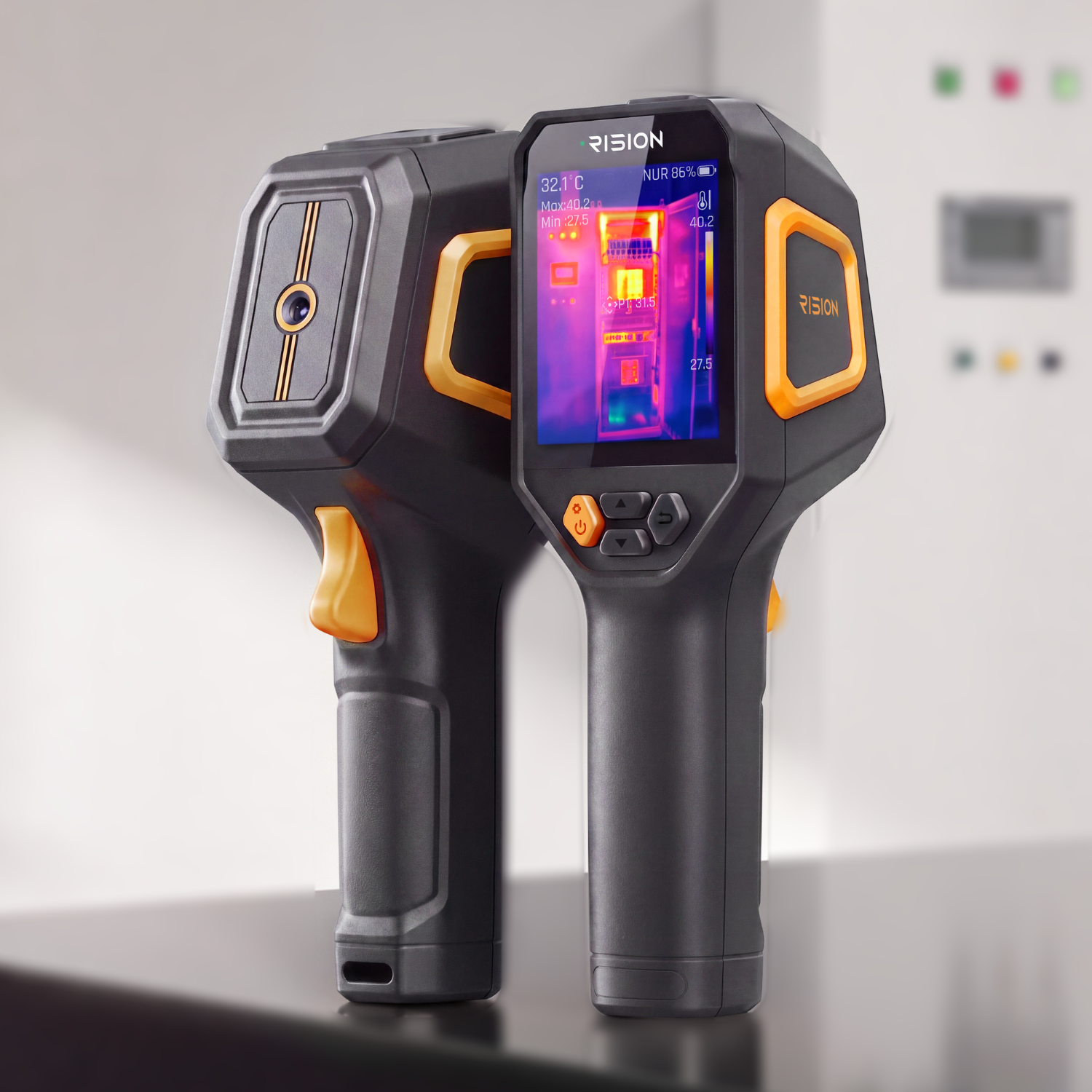
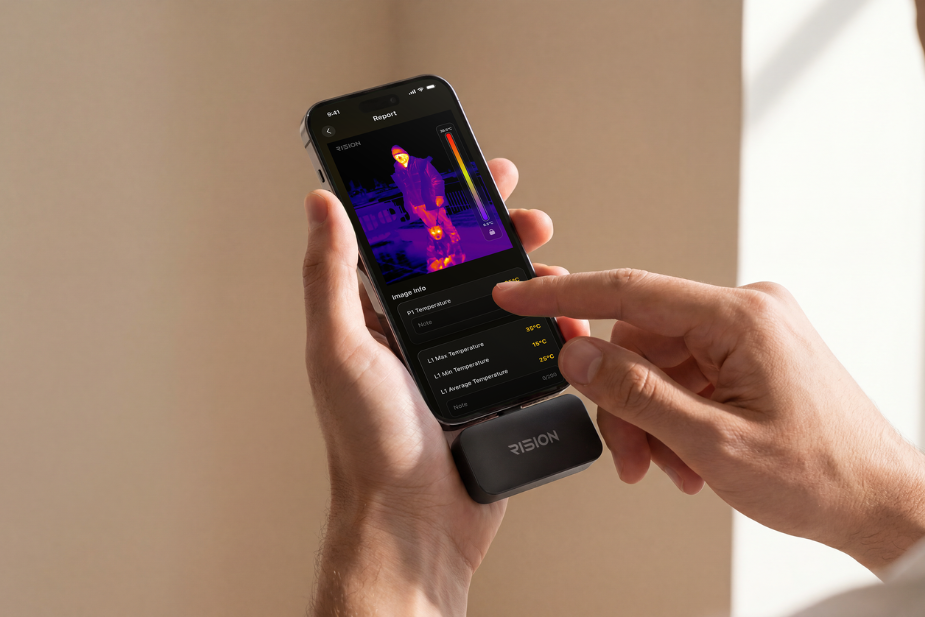
Die Punktmessung ermöglicht es Ihnen, einen Cursor auf einen beliebigen Punkt im Bild zu setzen und eine genaue Temperaturanzeige zu erhalten, anstatt sich ausschließlich auf die Farbe zu verlassen.
- Nur-Farben-Kameras: Zeigen relative Unterschiede, aber zwei „rote“ Zonen könnten 5°C oder 50°C auseinanderliegen – das können Sie ohne eine Zahl nicht erkennen.
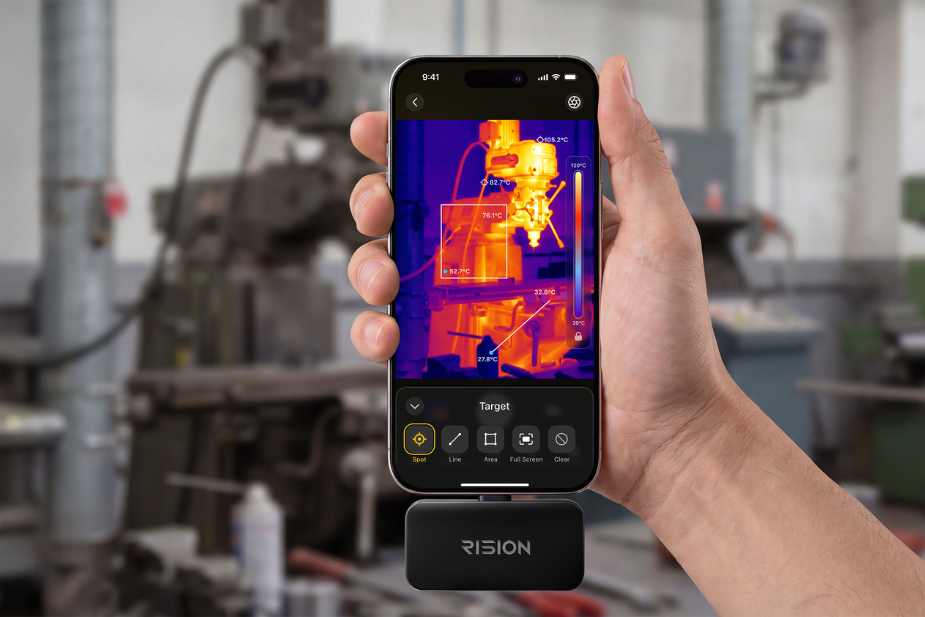
- Punkt-/Mehrpunktmessung: Liefert Ihnen einen präzisen, protokollierbaren Wert für einen bestimmten Punkt, sodass Sie eine Messung mit einer bekannten Spezifikation abgleichen können, anstatt aus einer Farbtabelle zu raten. Die meisten Wärmebildkameras sind auf 3-Punkt-Messung begrenzt, sodass Sie nur wenige Orte gleichzeitig überprüfen können. Die RISION Magic geht weiter und unterstützt bis zu 5 gleichzeitige Messpunkte, Linien und Bereiche – anstatt also einen Stecker nach dem anderen zu überprüfen, können Sie mehrere Punkte, eine ganze Linie über eine Oberfläche oder einen gesamten Bereich gleichzeitig messen und alle Messwerte in einem einzigen Scan vergleichen.
HLK (Bestätigung der Zuluft-/Ablufttemperaturen), Elektrik (Überprüfung auf sichere Betriebsgrenzen) und Automotive (Verifizierung von Bauteiltemperaturen gemäß Herstellerspezifikationen) sind alle auf exakte Zahlen angewiesen, nicht nur auf einen visuellen Vergleich.
2. Sichtfeld (FOV): Wie viel von der Szene Sie erfassen

Das Sichtfeld (FOV) beschreibt, wie viel Fläche die Kamera aus einer bestimmten Entfernung erfasst, gemessen in Grad.
- Weites FOV (45-90°): Erfasst mehr Fläche pro Aufnahme – besser für die schnelle Durchsicht eines ganzen Raumes, einer Wand oder einer Gebäudeaußenhülle.
- Enges FOV (7-25°): Erfasst weniger Fläche, aber mehr Details pro Punkt – besser, um eine einzelne Komponente oder ein entferntes Ziel zu isolieren.
Haus-/Gebäudeinspektionen bevorzugen ein weites Sichtfeld; elektrische Schalttafeln, Leiterplatten und die Fernerkennung im Außenbereich bevorzugen ein enges Sichtfeld.
3. Farbpaletten: Welche Farben Probleme am besten zeigen

Farbpaletten sind Schemata, die zur visuellen Darstellung von Temperaturdaten verwendet werden – dieselben Messwerte können je nach angewendeter Palette unterschiedlich aussehen.
- Eisen: Schwarz/Rot/Gelb/Weiß-Mischung – guter Allzweck-Kontrast ohne zu harsch zu sein.
- Regenbogen: Volles Farbspektrum – macht subtile Temperaturunterschiede leichter erkennbar für detaillierte Diagnosearbeiten.
- Weiß-Heiß: Graustufen, warm = weiß – ähnelt einem natürlichen Foto, beliebt für die Überwachung.
- Schwarz-Heiß: Umkehrung von Weiß-Heiß – manchmal einfacher, um eine Person oder ein Tier vor einem unruhigen Hintergrund zu erkennen.
Es gibt keine universell „beste“ Palette – es hängt davon ab, welche Ihr spezifisches Ziel vor seinem Hintergrund am einfachsten sichtbar macht.
4. Einzelobjektiv-Dual-Vision: Das meistübersehene Feature

Dual-Vision erfasst sowohl ein Wärmebild als auch ein Standard-Sichtbild von derselben Objektivposition aus und behebt die häufigste Beschwerde von Erstbenutzern: „Ich kann die Wärme sehen, aber ich kann nicht genau erkennen, was ich mir ansehe.“
- Wärmebild allein: Zeigt einen Hotspot, aber nicht, was ihn verursacht – ist es das Kabel? Die Klemme? Die Schraube? Der Stecker? Die Farbe allein kann das nicht beantworten.
- Sichtbares Bild ergänzt: Objektumrisse, Beschriftungen, Texte und Komponentenformen.
-
Die Kombination beider liefert: Schnellere Diagnose, weniger Fehler und einfachere Berichterstattung, da ein kombiniertes Bild viel verständlicher ist als ein reines Wärmebild.
Elektrische Inspektionen, Leiterplatten-/Elektronikdiagnosen und HLK-Fehlersuche – jedes Szenario mit kleinen, eng beieinander liegenden Komponenten, bei dem es ebenso wichtig ist, genau zu wissen, was die Wärme erzeugt, wie die Temperatur selbst.
Wenn Sie die Dual-Vision-Funktion in Betracht ziehen, lohnt es sich, genau hinzusehen, wie weit sie geht. Die RISION Magic zum Beispiel geht noch einen Schritt weiter mit ihrer „AI Single-Lens Dual-Light Fusion“-Technologie, die reale strukturelle Umrisse direkt auf die thermische Farbkarte legt – anstatt zwischen zwei separaten Bildern zu wechseln, sehen Sie das Objekt und seine Temperatur in einer einzigen Ansicht.

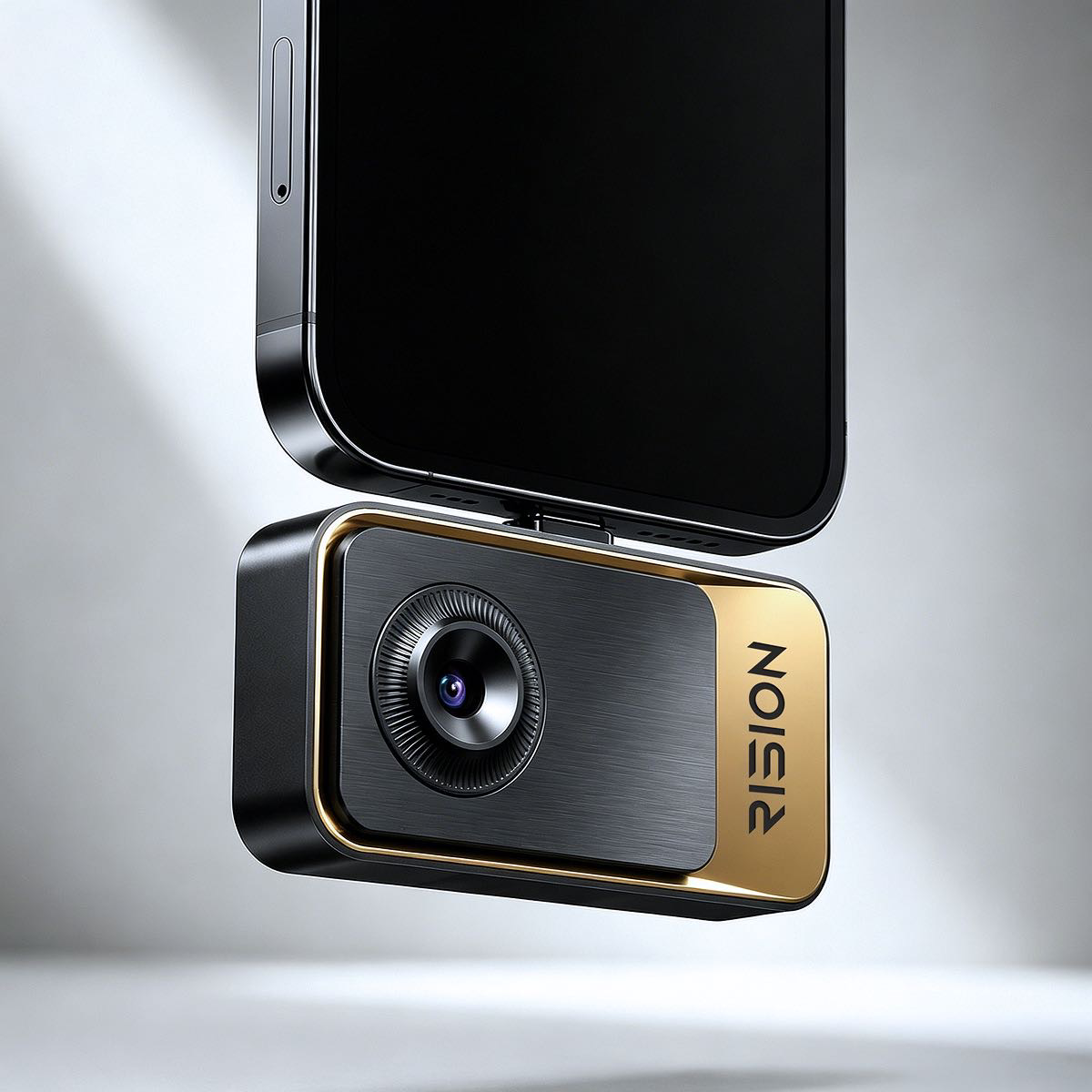
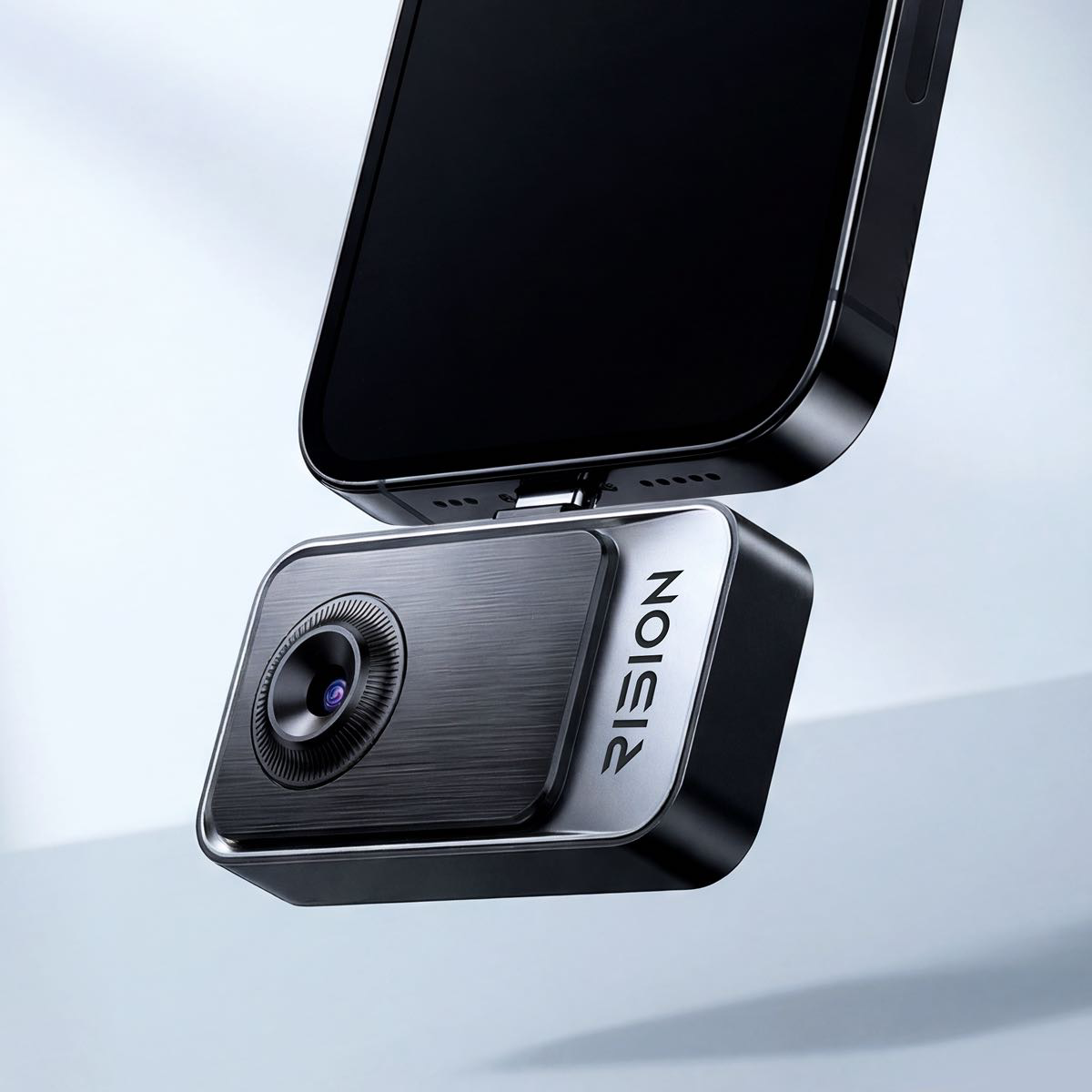
RISION Magic Wärmebildkamera
125 $ 139 $
- 160 × 120 IR-Auflösung mit Superauflösung bis zu 320 × 240
- AI Dual-Light Fusion für ausgerichtete thermische und sichtbare Bilder
- -20°C bis 600°C Temperaturbereich mit ±2% Genauigkeit
- USB-C kompatibel mit Android, iOS und PC
Code verwenden: RISION10
5. Fokus: Entspricht der Messwert dem, worauf Sie zeigen?
Der Fokus beeinflusst mehr als nur die Bildschärfe – in der Wärmebildgebung kann er auch die Genauigkeit des Temperaturmesswerts selbst beeinflussen.
- Fester Fokus: Auf eine Entfernung eingestellt, einfach, aber außerhalb des optimierten Bereichs weniger genau. Gut für allgemeine Inspektionen bei gleichbleibendem Abstand.
- Manueller Fokus: Vom Benutzer für eine bestimmte Entfernung eingestellt – langsamer, aber präzise für Nahaufnahmen. Am besten für Präzisionsarbeiten, wie das Isolieren einer einzelnen Leiterplattenkomponente.
- Autofokus: Stellt sich automatisch ein – schneller, kann aber bei kontrastarmen Szenen Schwierigkeiten haben. Nützlich, wenn sich der Arbeitsabstand während einer Inspektion häufig ändert.
Wenn ein Ziel unscharf ist, verteilt sich die Infrarotenergie über eine größere Sensorfläche, als sie sollte, und vermischt sich mit den Umgebungstemperaturen. Dies kann dazu führen, dass ein kleiner Hotspot kälter angezeigt wird, als er tatsächlich ist – nicht nur, dass er verschwommener aussieht.
6. Spektralbereich: Welche Infrarotwellenlängen erfasst werden

Der Spektralbereich bezieht sich auf das spezifische Band von Infrarotwellenlängen, die eine Wärmebildkamera erfassen soll, gemessen in Mikrometern (μm). Verschiedene Materialien und Anwendungen emittieren oder interagieren je nach Wellenlänge unterschiedlich mit Infrarotenergie.
Die meisten Verbraucher- und professionellen Wärmebildkameras arbeiten im Bereich von 7,5-14 μm (langwelliges Infrarot), was sich gut für die alltägliche Temperaturerfassung eignet – von Hausinspektionen bis zur industriellen Wartung. Sofern Sie nicht in einem Spezialgebiet wie der Gasdetektion oder der wissenschaftlichen Forschung arbeiten, die möglicherweise ein anderes Wellenlängenband erfordert, beeinflusst diese Spezifikation Ihre Kaufentscheidung selten. Es ist im Allgemeinen ein Parameter mit geringer Priorität für die meisten Anwendungsfälle.
Welche Spezifikationen sind am wichtigsten, nach Berufsgruppe
Verschiedene Berufe legen Wert auf unterschiedliche Spezifikationen. Hier ist eine Aufschlüsselung nach Rolle:
Hausinspektor / Hausbesitzer
- NETD (zum Aufspüren subtiler Lecks/Isolationslücken)
- Auflösung (zum Unterscheiden von Rohren, Ständern, Verkabelung)
- Dual Vision (zum Identifizieren, was sich hinter der Wand befindet)
- Temperaturbereich (muss selten 300°C überschreiten)
Bildrate, große Erfassungsreichweite – die meisten Ziele sind statisch und nah.
HVAC-Techniker
- Temperaturbereich (Abdeckung von Heiz- und Kühlsystemen)
- Spot-/Mehrpunktmessung (Bestätigung genauer Zuluft-/Rücklufttemperaturen)
- Auflösung (Isolierung spezifischer Kanäle oder Komponenten)
- NETD (Erkennung von Luftstrom- oder Isolationsunregelmäßigkeiten)
Große Erfassungsreichweite – Arbeit ist fast immer im Nahbereich.
Elektroinspektor
- Auflösung (Isolierung einzelner Stecker/Anschlüsse)
- NETD (Erkennung von Überhitzung im Frühstadium, bevor sie sichtbar ist)
- Dual Vision (Zuordnung eines Hotspots zur genauen Komponente)
- Genauigkeit (Bestätigung der Messwerte gegenüber Sicherheitsschwellenwerten)
Weites Sichtfeld – Paneele werden normalerweise Punkt für Punkt inspiziert, nicht breit gescannt.
Leiterplatten- / Elektroniktechniker
- Auflösung (kritisch bei sehr kleinem Maßstab)
- NETD (Erkennung kleinster thermischer Anomalien auf dicht bestückten Platinen)
- Fokus (genaue Nahfokussierung auf kleine Komponenten)
- Dual Vision (Identifizierung exakter Chips/Leiterbahnen)
Erfassungsreichweite und Bildrate – die Arbeit ist statisch und extrem nah.
Kfz-Techniker
- Temperaturbereich (Abdeckung von Motor-, Brems- und Abgastemperaturen)
- Punktmessung (Verifizierung anhand von Herstellerspezifikationen)
- Bildrate (Verfolgung beweglicher Komponenten, wie z.B. eines laufenden Motors oder Riemens)
- Auflösung (Isolierung spezifischer Teile unter der Motorhaube)
Farbalarme – in der Regel weniger relevant als direkte Punktmessungen für die Diagnose.
Outdoor / Sicherheit / Wildtiere
- Erfassungsreichweite (Identifizierung von Wärmequellen in der Ferne)
- Bildrate (reine Verfolgung von Bewegungen)
- Farbpalette (Weiß/Schwarz Heiß zum Aufspüren von Objekten vor dem Hintergrund)
- Akkulaufzeit (längerer Feldeinsatz)
Genauigkeit – relative Erfassung ist wichtiger als genaue Temperaturwerte.
Die richtige Wahl treffen
Die beste Wärmebildkamera hängt von Ihren spezifischen Anforderungen ab. Wenn Ihre Arbeit präzise Diagnosen, kleine Komponenten oder kritische Messwerte erfordert, lohnt sich die Investition in stärkere Kernspezifikationen – Auflösung, NETD, Genauigkeit. Wenn Ihr Anwendungsfall routinemäßig, im Nahbereich oder budgetsensibel ist, kann eine einfachere Kamera die Aufgabe dennoch effektiv erledigen.
Mehr ist nicht immer besser. Über die Kernspezifikationen hinaus hängen die wichtigsten Benutzerfreundlichkeitsfunktionen auch ganz von Ihrem Beruf ab – ein Wildtierbeobachter und ein Leiterplattentechniker haben sehr unterschiedliche Prioritäten. Zu verstehen, was Sie wirklich brauchen, anstatt den höchsten Zahlen hinterherzujagen, führt Sie zur richtigen Kamera zum richtigen Preis.
FAQ: Wärmebildkamera-Spezifikationen
F1. Welche Auflösung benötige ich für eine Hausinspektion? 160×120 bis 320×240 ist in der Regel ausreichend, um Wärmeverluste, Isolationslücken und Wasserlecks im Haus aufzuspüren.
F2. Bedeutet eine höhere Auflösung immer eine bessere Wärmebildkamera? Nicht unbedingt. Die thermische Empfindlichkeit (NETD) und die Linsenqualität sind oft wichtiger als die reine Pixelzahl, insbesondere beim Erkennen subtiler Temperaturunterschiede.
F3. Was ist ein guter NETD-Wert für den allgemeinen Gebrauch? Unter 50mK gilt als gut für die meisten Inspektionsaufgaben. Unter 40mK ist typischerweise für das Erkennen sehr schwacher Anomalien reserviert.
F4. Benötige ich einen großen Temperaturbereich für den Hausgebrauch? Normalerweise nicht. Die meisten Heimdiagnosen liegen gut im Bereich von -20°C bis 300°C, was bei den meisten Wärmebildkameras für Verbraucher Standard ist.

Hinterlasse einen Kommentar
Diese Website ist durch hCaptcha geschützt und es gelten die allgemeinen Geschäftsbedingungen und Datenschutzbestimmungen von hCaptcha.